llms.txt Generator
Create a curated Markdown guide to your public reference pages.
Quick answer
llms.txt is a proposed Markdown guide to a site's public content, not a universal crawler requirement or citation guarantee. Add a site name, factual summary and useful canonical links, then copy or download the file and verify it at /llms.txt after publication.
# Acme Inc

> Acme builds developer tools for AI search optimization.

## Docs

- [Documentation](https://acme.com/docs): Full product documentation
- [API Reference](https://acme.com/api): REST and webhook reference

## Optional

- [Blog](https://acme.com/blog): Articles on AI search and GEO
Why llms.txt matters
llms.txt is a proposed Markdown guide to a site's public content. Curate useful canonical links and factual descriptions for tools that choose to use it. It does not replace robots.txt, a sitemap, or accessible HTML, and it does not guarantee citations.
What goes in it
- An H1 with your site or product name
- A short blockquote summary
- A
## Docssection linking to your most important reference pages - An optional
## Optionalsection with secondary resources
A worked example
Here is what a complete, well-formed file looks like for a small SaaS. Note that every link carries a description — that sentence is what tells a model whether the page is worth fetching.
# Acme Analytics

> Acme Analytics is a privacy-first product analytics tool for B2B SaaS teams.

## Docs

- [Documentation](https://acme.com/docs): Setup, SDKs and data model
- [API Reference](https://acme.com/api): REST endpoints and webhooks
- [Pricing](https://acme.com/pricing): Plans, limits and billing FAQ

## Optional

- [Blog](https://acme.com/blog): Product analytics and privacy engineering
- [Changelog](https://acme.com/changelog): Shipped features by date
Two more examples, different site types
A developer-docs site — the Docs section does the heavy lifting, Optional stays tiny:
# Kite DB

> Kite DB is an open-source vector database for building retrieval-augmented applications.

## Docs

- [Quickstart](https://kitedb.io/quickstart): First index in under five minutes
- [Concepts](https://kitedb.io/concepts): Embeddings, indexes and hybrid search explained
- [API Reference](https://kitedb.io/api): Client libraries and HTTP endpoints
- [Self-hosting](https://kitedb.io/self-host): Docker, Kubernetes and tuning guides

## Optional

- [Blog](https://kitedb.io/blog): Benchmarks and engineering notes
An e-commerce brand — product and policy pages matter more than docs:
# Fieldnote Goods

> Fieldnote Goods makes small-batch leather bags with a lifetime repair guarantee.

## Docs

- [Shop all bags](https://fieldnote.co/shop): Every product with materials and pricing
- [Our materials](https://fieldnote.co/materials): Full-grain leather sourcing and care
- [Shipping and returns](https://fieldnote.co/returns): Delivery times and the 60-day return policy
- [Repairs](https://fieldnote.co/repairs): Free lifetime repairs, how to submit

## Optional

- [Journal](https://fieldnote.co/journal): Craft, care guides and workshop stories
llms.txt vs robots.txt vs sitemap.xml
The three root files do different jobs. You need all three, and confusing them is the most common mistake we see in audits:
| robots.txt | sitemap.xml | llms.txt | |
|---|---|---|---|
| Audience | Crawlers — permission | Search engines — discovery | LLMs — comprehension |
| Answers | "Who may fetch what?" | "What URLs exist?" | "What should you read, and what is this site?" |
| Curation | Rules, not lists | Exhaustive — every indexable URL | Selective — your 5–20 best pages |
| Format | Plain text directives | XML | Markdown |
| Replaces the others? | No | No | No — they stack |
Who actually reads llms.txt today
| Consumer | What it does with the file |
|---|---|
| AI ingestion & RAG tools | Fetch llms.txt as the entry point when crawling a domain for a knowledge base — often before the homepage. |
| Developer agents & IDEs | Read llms.txt to decide which docs pages to load into context when integrating with your product. |
| Answer engines (indirectly) | Perplexity-class engines reward the same signals llms.txt encodes: clear self-description and a curated canonical set. |
| Benchmarks & directories | Sites are scored on AI-readiness signals including llms.txt presence and quality. |
The six rules of a valid file
- Exactly one H1 at the top with the site or product name.
- A blockquote summary within a few lines of the H1 — one plain sentence.
- A
## Docssection with your most important pages. - Every link is absolute HTTPS with a short description.
- No duplicate URLs, no redirects — the file lives at the root, not behind a 301.
- Served as
text/plainortext/markdown, never HTML.
Already have one? Run it through the llms.txt Validator — it checks all six rules against a live URL or pasted text. And pair the file with an AI-aware robots.txt so the crawlers that would read it are actually allowed in; then confirm the whole picture with the AI Visibility Checker.
Common mistakes
- Linking every page. Curation is the whole point — twenty links beats two hundred.
- Relative URLs. Always use absolute https links so crawlers can resolve them.
- Serving HTML. The file must return plain text or markdown, not a rendered page.
- Writing marketing copy in the summary. State plainly what the site is, in one sentence, the way you would want a model to repeat it.
- Publishing once and forgetting. Refresh it whenever your key pages change.
After you publish
Upload to /llms.txt on your domain and run the OptimAIze scanner to confirm it's discoverable, well-formed, and actually being picked up by the AI crawlers that matter.
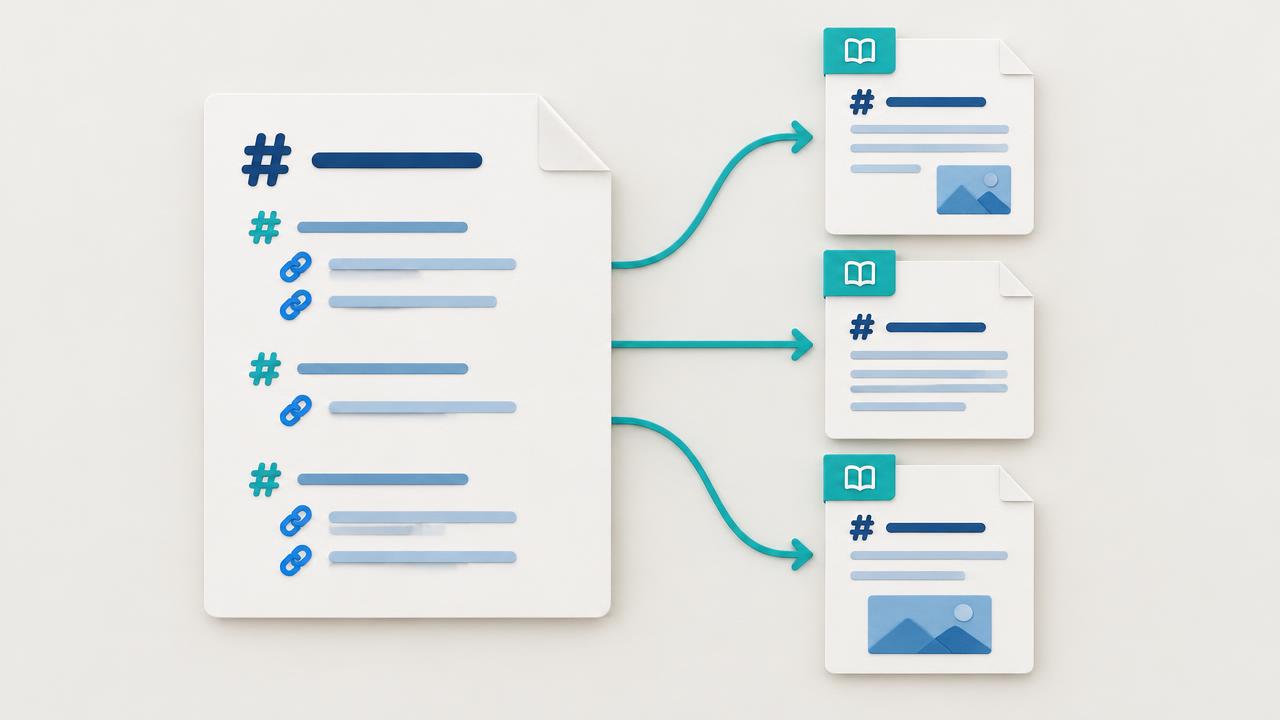
What belongs in llms.txt?
The file should orient an AI system quickly: what the site is, which pages are authoritative, and where to find core documentation or policies. Include durable pages that explain the organization, product, documentation, pricing, important concepts, and changelog. Exclude thin archives, tracking URLs, duplicates, filters, and pages you would not want summarized.
| Include | Usually exclude | Reason |
|---|---|---|
| Canonical product and documentation pages | Search and filter results | Stable pages provide reusable context |
| Glossary and high-quality guides | Tag archives and pagination | Definitions and procedures are easy to extract |
| Current pricing, policies, and changelog | Expired campaigns | Time-sensitive facts need an authoritative URL |
| A small number of representative examples | Every near-duplicate location page | Curation reduces ambiguity |
What is a practical llms.txt format?
Use ordinary Markdown: one H1, a short summary, optional notes, then descriptive links grouped by purpose. Keep labels meaningful outside the surrounding page. The proposed convention is intentionally readable by both people and machines, so avoid scripts, hidden directives, or invented ranking commands.
# Example Company

> Official documentation and product information for Example Company.

## Core
- [Product overview](https://example.com/product): Capabilities and supported use cases.
- [Documentation](https://example.com/docs): Setup and API reference.
- [Pricing](https://example.com/pricing): Current plans and limits.

## Learn
- [Glossary](https://example.com/glossary): Definitions of domain terms.
How do you publish and validate the file?
- Inventory the pages that contain your most authoritative answers.
- Remove redirected, duplicated, private, outdated, and low-value URLs.
- Group the remaining links by visitor purpose and write a specific description for each.
- Publish the plain-text Markdown response at the exact root path /llms.txt.
- Fetch the public URL, follow every link, and confirm each target is canonical and indexable.
- Add ownership and review cadence to the same workflow that updates navigation and sitemaps.
How should llms.txt be deployed on different stacks?
| Stack | Recommended method | Verification |
|---|---|---|
| Static site | Commit a public/llms.txt file | Open the root URL after deployment |
| CMS | Use a root-level route, plugin, or edge rule | Confirm no theme HTML wraps the response |
| Headless app | Serve a plain-text route from the public origin | Test production, not only preview |
| Large documentation site | Generate from an approved canonical registry | Diff changes and reject broken links in CI |
Which llms.txt mistakes reduce its usefulness?
- Listing hundreds of URLs without descriptions or hierarchy.
- Linking to redirects, staging hosts, tracking parameters, or non-canonical duplicates.
- Copying robots directives into llms.txt and assuming they control access.
- Publishing marketing claims instead of neutral descriptions of what each page contains.
- Generating the file once and leaving deleted or outdated pages in it.
- Serving an HTML error page, authentication screen, or wrong content type at the path.
How can you measure whether llms.txt is helping?
Measure the chain, not a promised ranking lift. First confirm the file is fetched. Then inspect whether the linked pages receive crawler visits, appear in retrieval citations, and are summarized accurately. Compare a fixed prompt panel before and after publication, while recording other changes so llms.txt is not credited for work performed by content or schema improvements.
Practical steps
- 1Choose canonical pages
Select a concise set of durable pages that contain the facts and procedures an assistant should use.
- 2Write descriptive Markdown links
Group links by purpose and explain the unique value of each target in one sentence.
- 3Publish at the root
Serve the file publicly at /llms.txt as plain text or Markdown without authentication.
- 4Validate every target
Check status, redirect destination, canonical, language, and visible answer for every URL.
- 5Assign a review cadence
Update the file when key pages, products, pricing, policies, or documentation change.
More questions answered
- Is llms.txt an official web standard?
- llms.txt is a community proposal rather than a universally enforced web standard. Publish it as a low-risk discovery aid, but keep established controls such as robots.txt, sitemaps, canonicals, and accessible HTML correct.
- Does llms.txt replace robots.txt?
- No. robots.txt communicates crawl permissions, while llms.txt curates useful pages and context. A link in llms.txt cannot override a robots rule, firewall block, login requirement, or inaccessible page.
- How many URLs should llms.txt contain?
- There is no universal number. Include the smallest set that represents the site accurately. A focused file with descriptive canonical links is easier to maintain and interpret than a complete URL dump.
- Should llms.txt include every blog post?
- Usually not. Include cornerstone articles, durable research, and key guides. Let sitemap.xml provide broad discovery, and use llms.txt to point at the pages that best explain the site.
- How do I test llms.txt?
- Fetch /llms.txt from production, confirm a successful plain-text response, then check every linked URL for status, final destination, canonical, language, and useful server-rendered content.
Want the full picture?
OptimAIze checks structured data, content, crawler access and answer-readiness to help you investigate concrete issues. Technical improvements do not guarantee AI citations.
Run a full GEO + AEO scan on your siteFrequently asked questions
- What is llms.txt?
- llms.txt is an emerging standard that tells AI models which pages on your site are most worth reading. It lives at the root of your domain, just like robots.txt, and is written in Markdown so LLMs can parse it easily.
- Where do I put the file?
- Publish it at https://yourdomain.com/llms.txt as readable Markdown or plain text. Verify the response and linked pages. Publishing it does not mean any particular AI crawler will fetch or use it.
- Do ChatGPT and Perplexity actually use llms.txt?
- Do not assume these services use your llms.txt file. It is a proposal, not a universal crawler requirement. Consult each service's current documentation and measure actual requests rather than treating publication as proof of adoption.
- How is llms.txt different from sitemap.xml?
- sitemap.xml lists every URL for search-engine indexing. llms.txt is curated for AI: it highlights the canonical pages you want models to learn from and links to long-form context.
- What makes a good llms.txt file?
- One H1 with your site name, a one-sentence blockquote summary, a Docs section of 5–20 absolute HTTPS links each with a short description, and an Optional section for secondary pages. Served as text/plain at your domain root — never behind a redirect, never wrapped in HTML.
- How long should the descriptions in llms.txt be?
- One sentence, 5–15 words. The description is what a model reads to decide whether to fetch the page, so say what the page covers — 'Setup, SDKs and data model', not 'Check out our docs'.
Related free tools
Each one covers a different signal AI engines read before they cite a site.